 Anatodo
A todo list that remembers how long things took.
Tap a task and its timer starts. Tap twice and it's crossed off in pen, like in a paper notebook. Every minute stays on the page, even after the task is deleted. Most tasks stay a plain list, and only the few that need a time go in the day's hours. Made for focus, and for anyone who loses track of time.
Try the betaComing to iPhone, iPad, and Apple Watch in November. The exact date isn't set yet.
A time only for the tasks that need one.
Pinch the list open, or tap hours, and today becomes a timetable. On the left is what you planned and what's on your calendar. On the right is what you worked on, joined in pencil in the order it happened. Most tasks never need a time. For the few that do, hold on an empty hour to set a block.
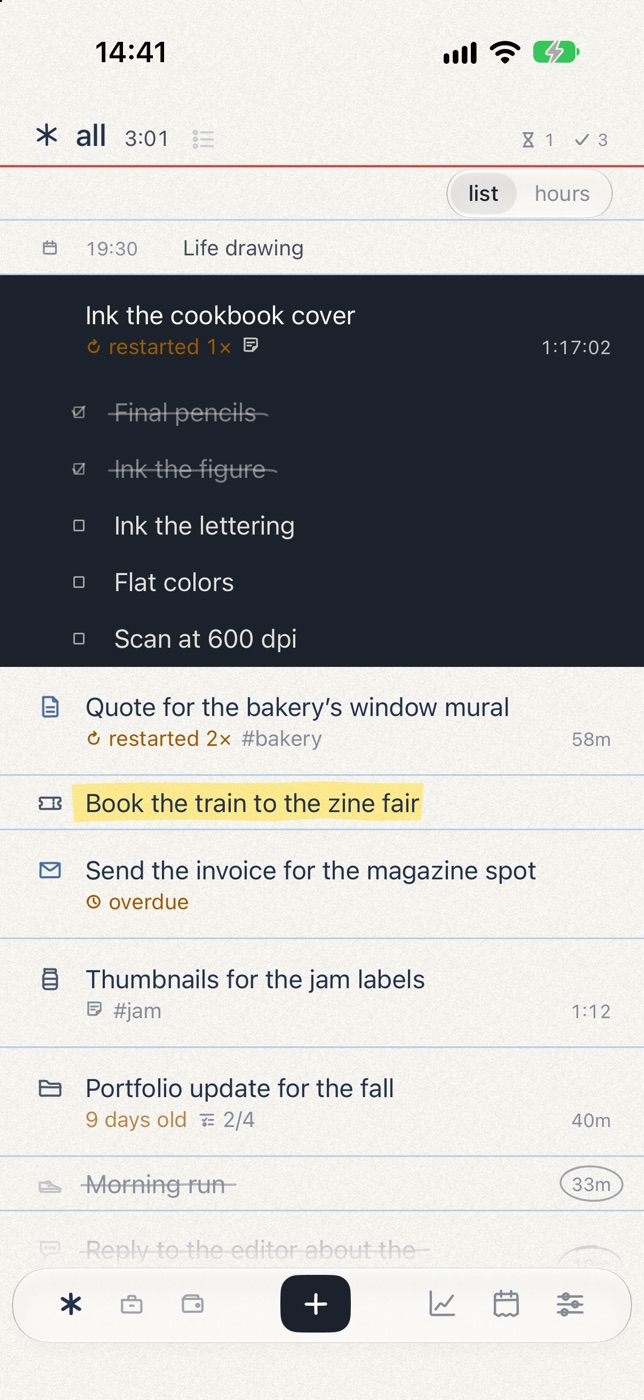
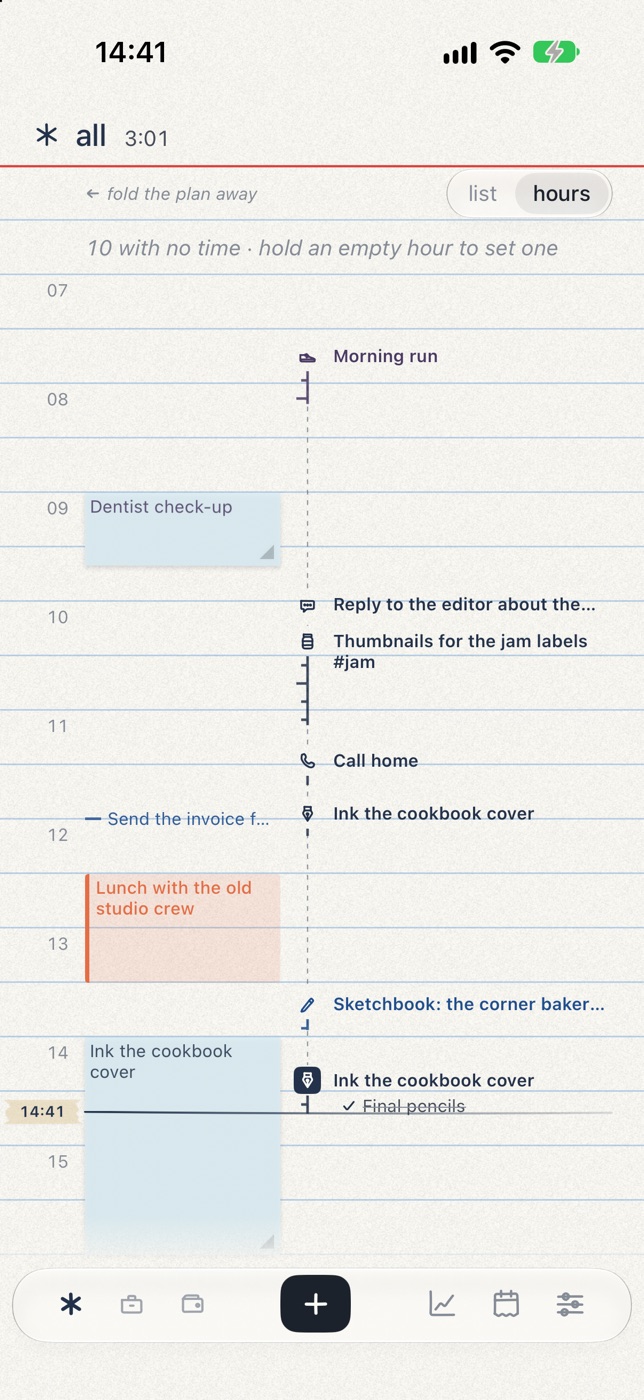
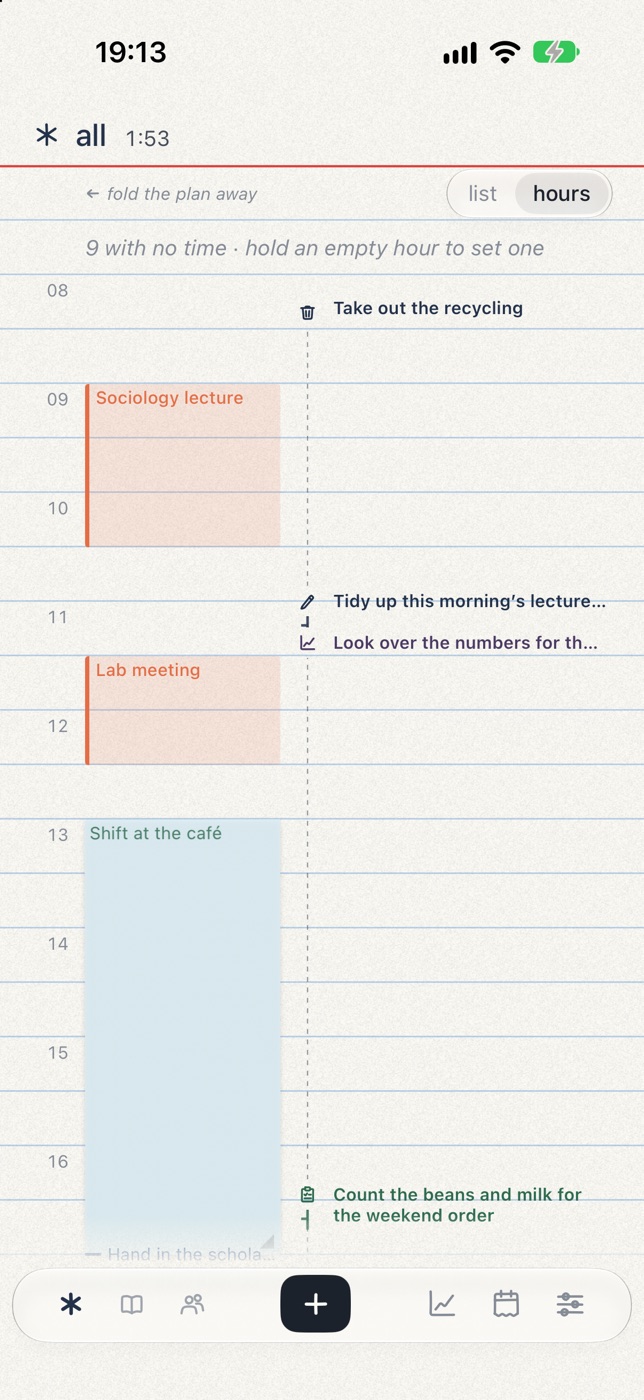
A day with fixed hours reads the same way. A student's lecture and lab meeting come from the calendar, the café shift is a block, and what got done sits beside them.
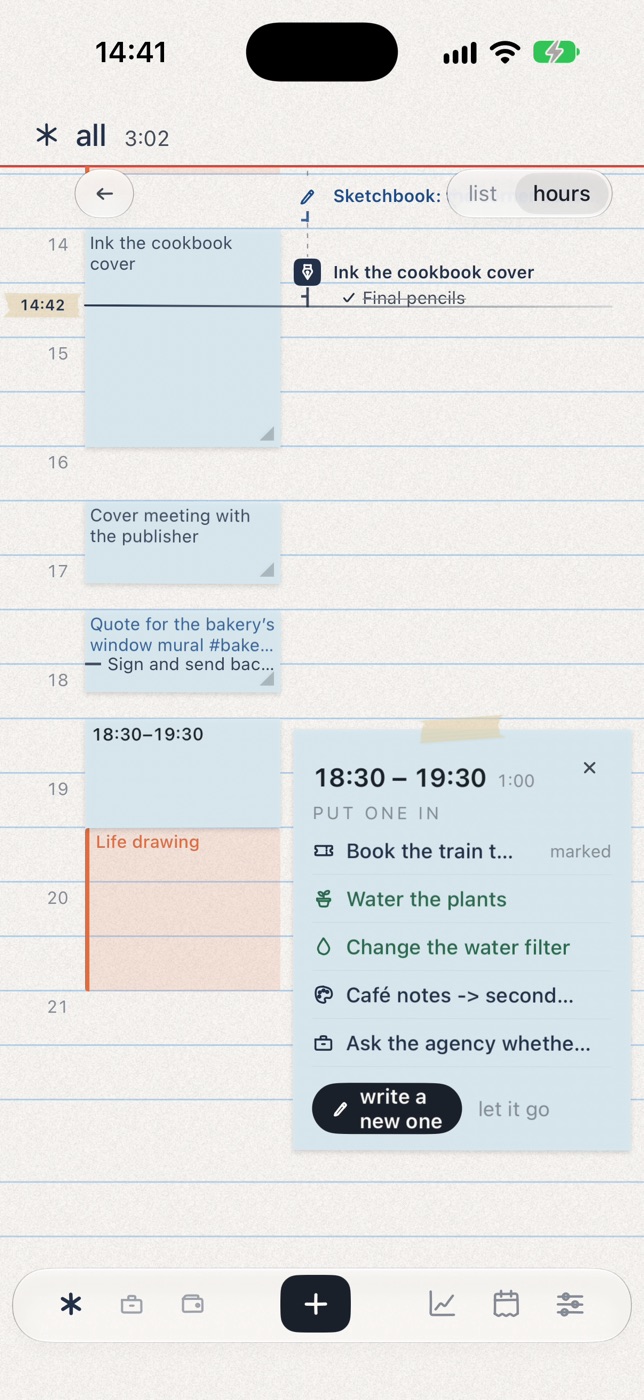
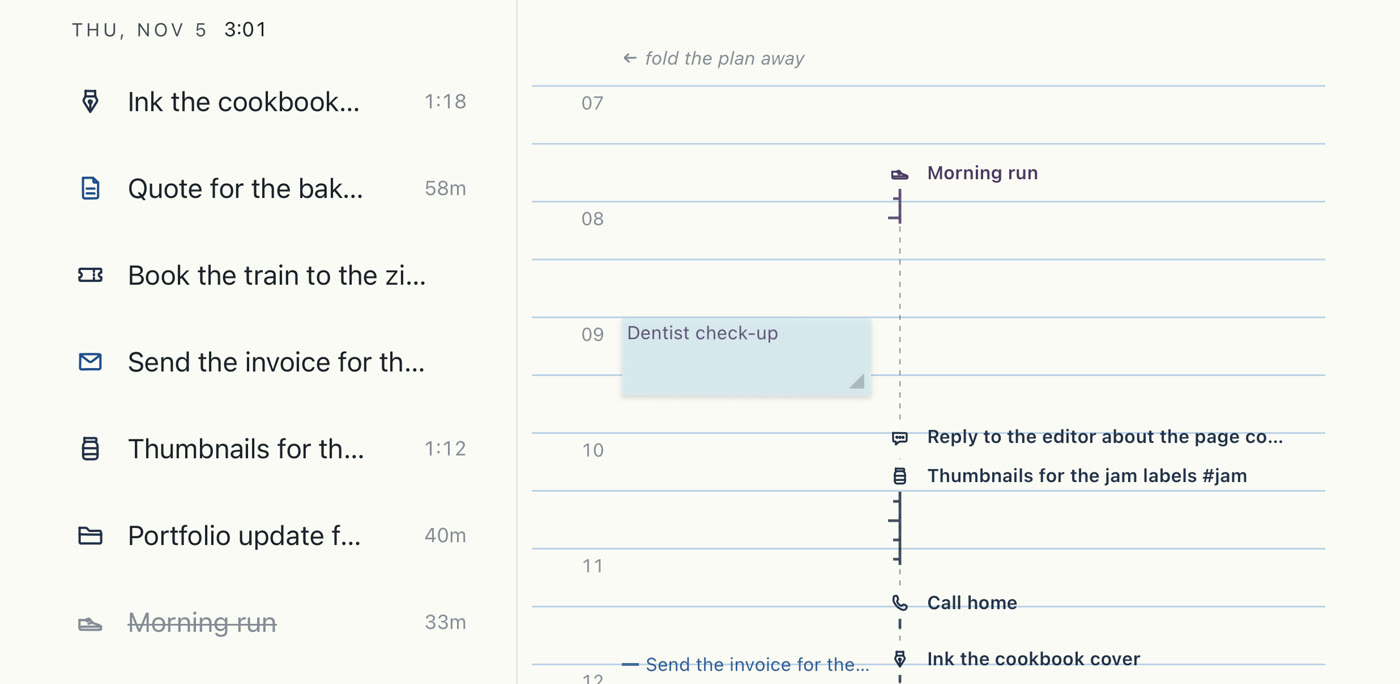
Turn your iPhone sideways with no timer running and the day lies open like a book, the list facing the hours: drag a task onto the hour you'll do it.
It knows what each task cost.
If you have ADHD or time blindness, or an hour keeps turning out to have been three, guessing where the day went doesn't work. Anatodo writes the minutes down as they happen, so you don't have to remember them. Starting takes one tap, with nothing to estimate or set up first. There are no streaks to keep and nothing to keep alive.
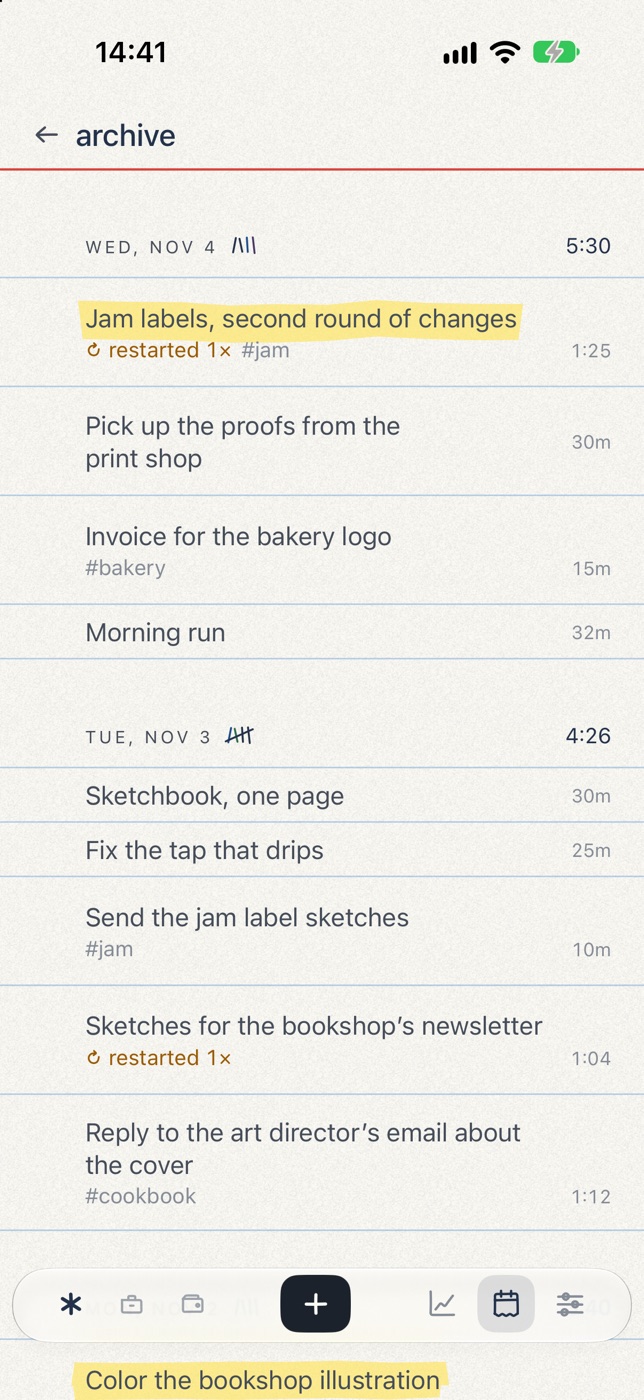
Each row carries the minutes you spent on it. The total at the top of the page counts everything you worked that day, including tasks you've since deleted. Delete a task and its title goes, but its minutes stay in the total. If a timer ran on the wrong thing, you can delete the time as well. The days page shows the month: tap any day and it reads like today's page, as a list or as the hours you worked. The archive is in that page's menu.
- Jam labels, second round of changes #jam1h 25m
- (deleted)45m
- Morning run32m
- Pick up the proofs from the print shop30m
- Invoice for the bakery logo #bakery15m
The deleted row has no title anymore. Its 45 minutes are still in the 3h 27m.
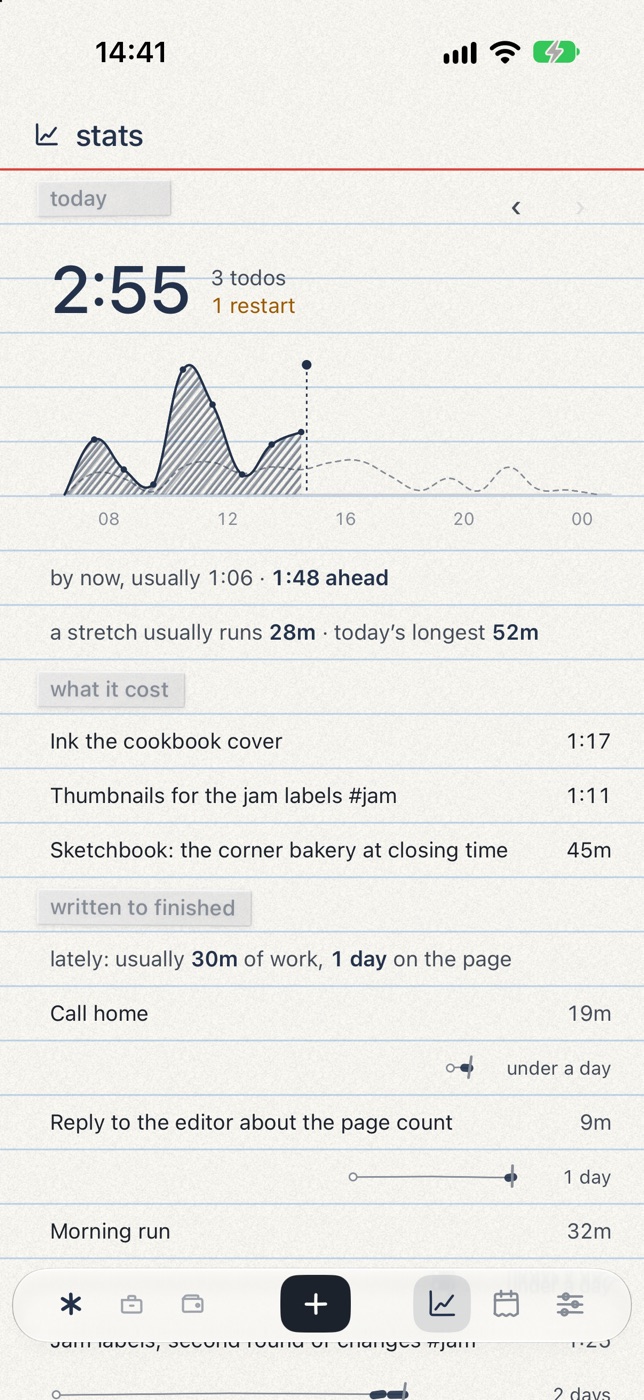
Two gestures.
Tap a task to start it and tap again to stop. A quick double tap crosses it off. You don't pick a length first, and the timer never runs out. Starting another task stops the one before, so only one timer is ever running.
Timer runs shorter than ten seconds aren't counted. After an hour you'll get a reminder, and if you leave it alone, it stops itself three hours later.
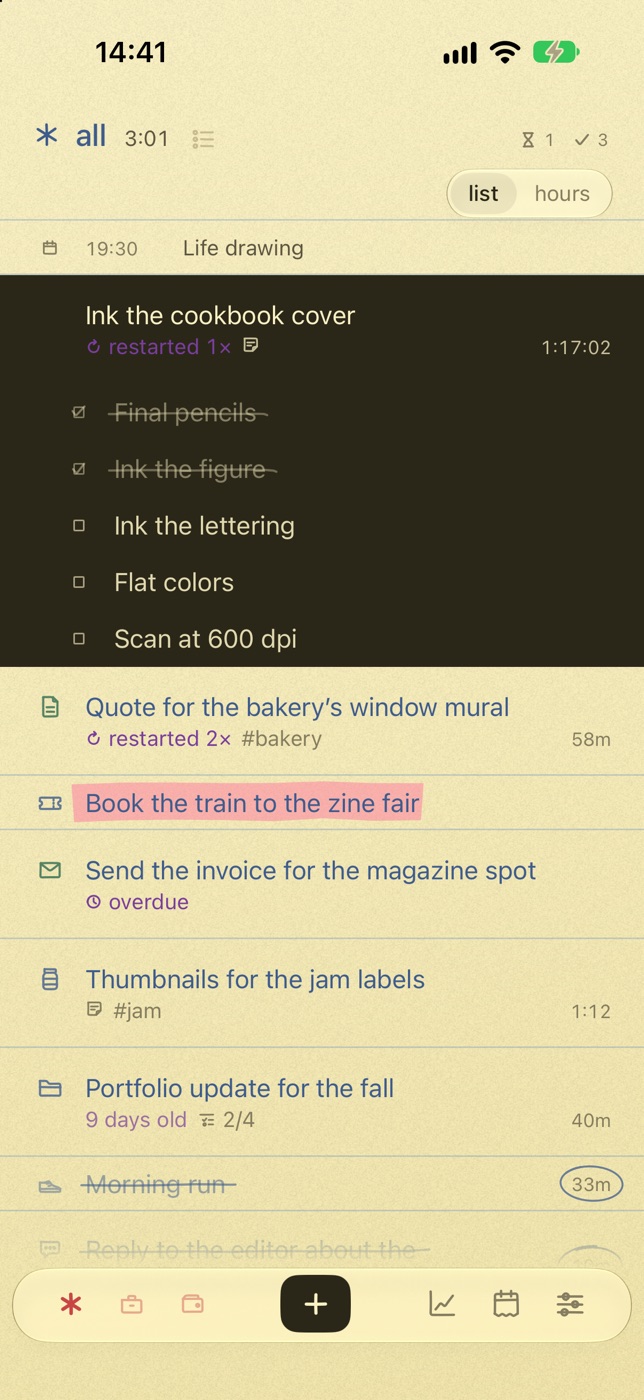
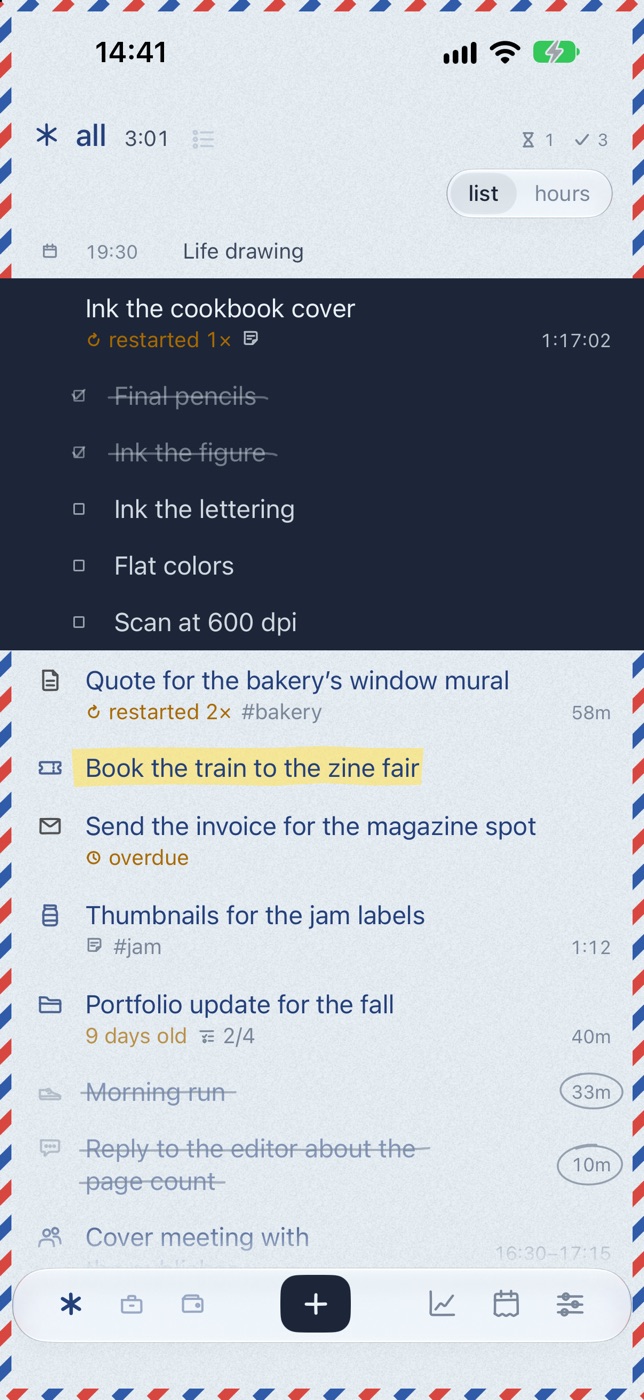
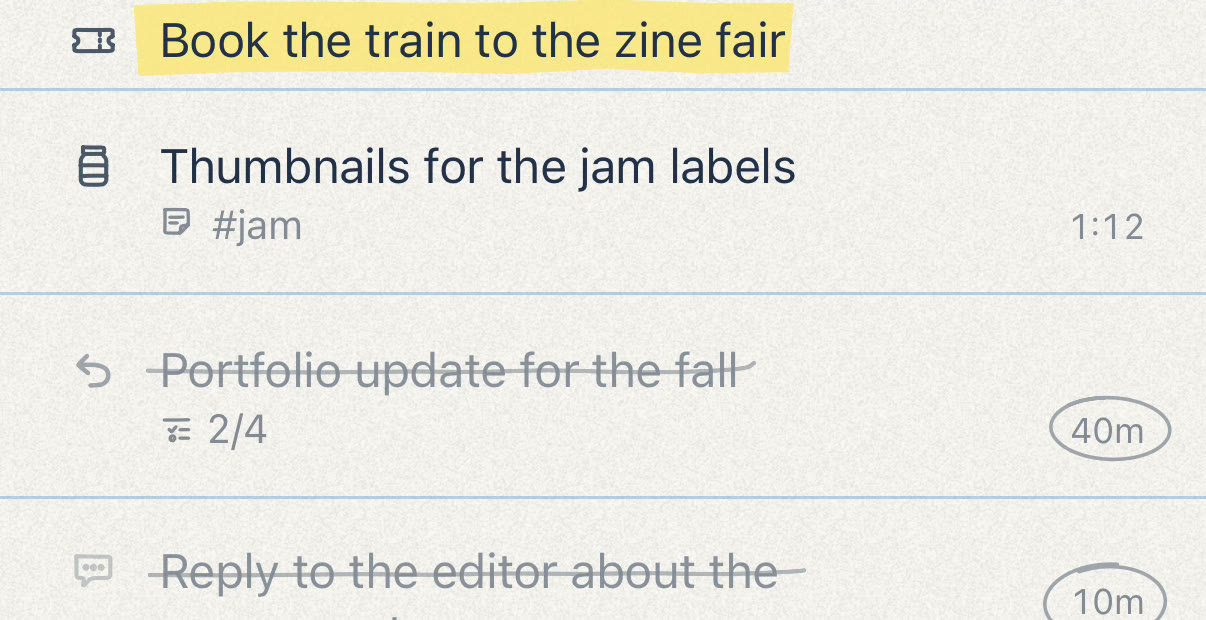
A notebook, on nine kinds of paper.
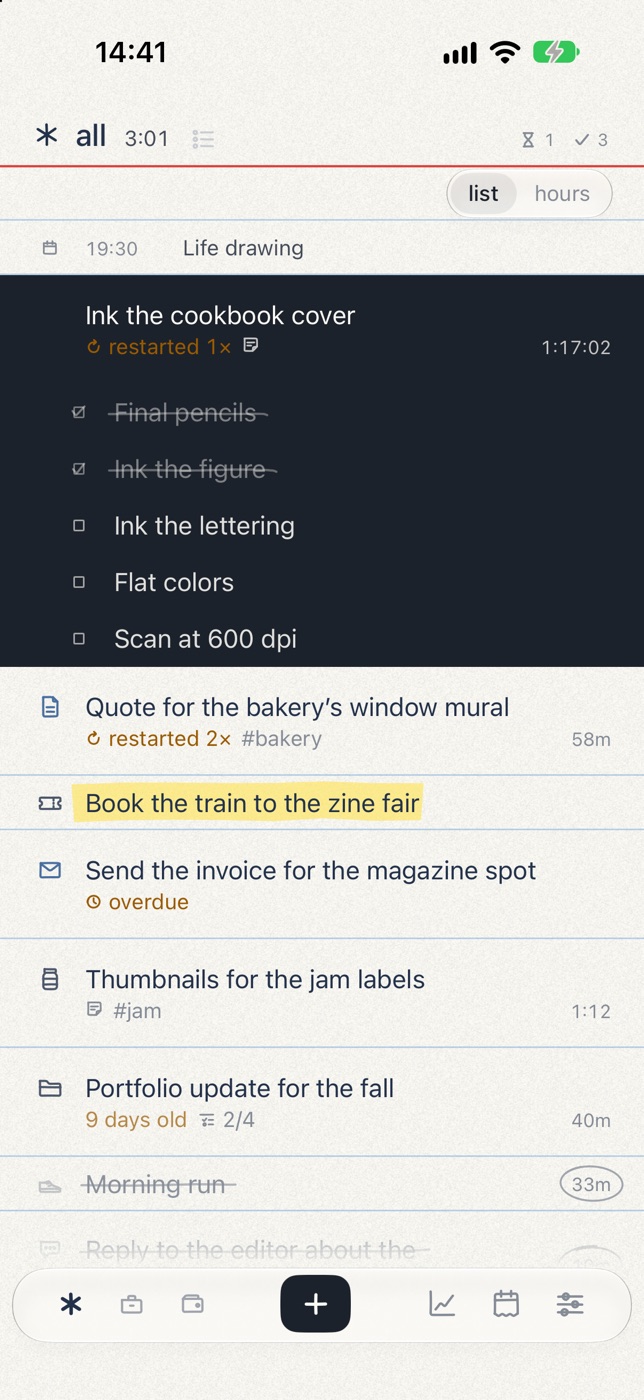
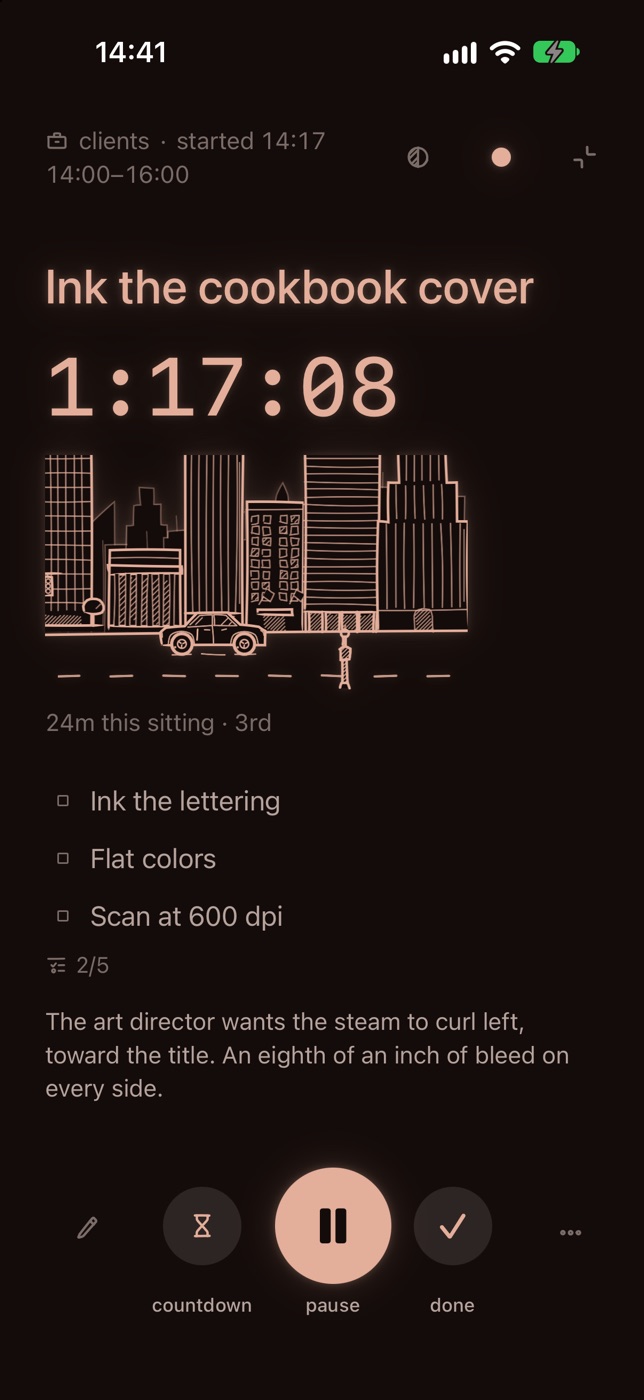
One task, the whole screen.
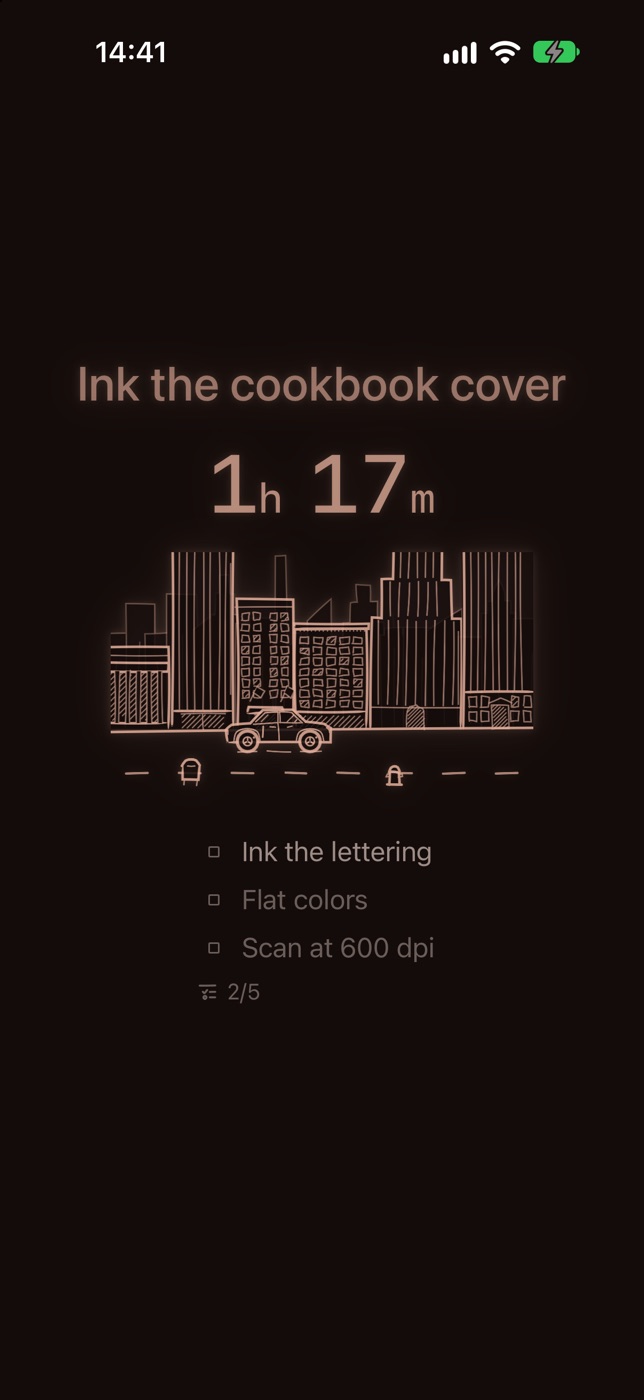
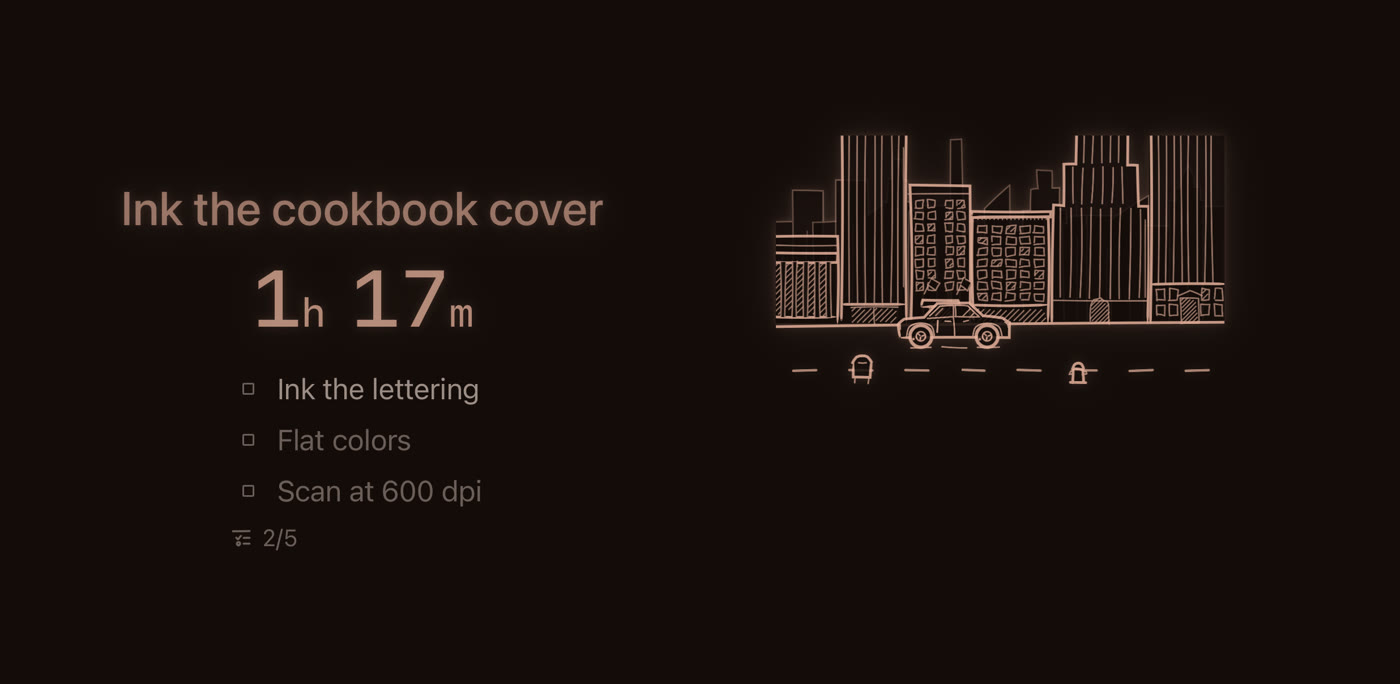
While a timer runs, tap its time or turn your iPhone sideways, and that one task takes the whole screen. Touch it and everything is there: subtodos, notes, stop and done. Leave it for a minute and it settles into a desk clock. While the timer runs, a car drawn in pen drives on through a city. The screen is dark by default, or it can be drawn on your own paper.
If you want a limit, pick 10, 25 or 50 minutes, or your own. When it's up you get a nudge and the timer keeps going, so stopping is still your call. Add Anatodo to a Focus in iOS Settings, and any timer you start while that Focus is on takes the whole screen by itself.
A running timer shows on your iPhone's Lock Screen and in the Dynamic Island, with stop and done buttons on it. It also shows up in StandBy, widgets, and Control Center, and Apple Watch works as a remote for the timer on your iPhone.
Write it the way you'd say it.
call the publisher tmr 3pmrun every tue thu 7am
Anatodo reads the date or repeat at the end of an English line and shows you what it found before saving. Paste a list from your notes and each line becomes a task, up to 50 at once. On devices with Apple Intelligence, Apple's on-device model handles other languages and splits a sentence with several tasks in it. You can also add tasks from Siri, Shortcuts, or the share sheet without opening the app.
Already use Reminders? Keep it. Bring over the lists you want to time and leave the rest where they are. How that works.
Before launch.
The beta is open on TestFlight, Apple's app for trying apps before they're out. Open the link on your iPhone or iPad.
Needs iOS 26 or iPadOS 26.
On something else?
Anatodo is only for iPhone and iPad for now. Tell us what you'd use it on, and we'll write if that changes.
We'll use your email only to write if Anatodo comes to the device you picked. You can unsubscribe at any time. See privacy.
Questions
How is it different from other todo apps?
Every task has its own timer, and the time it took stays. Tap to start, tap twice to cross it off, and the minutes are kept even after you delete the task, so the day's total stays honest. Only one timer runs at a time, and a running task can take the whole screen. It also looks and feels like a paper notebook: each task is crossed off with its own pen stroke, on whichever of nine papers you like.
Is this a calendar?
No. If you turn on the calendar setting, Anatodo shows today's events next to your tasks, but events aren't tasks. It writes to your calendar only if you ask it to: tasks with a start and an end can go to a calendar of their own, and nothing else in your calendar is touched.
Can I plan my day in it?
A little. Hold on empty time in the day's hours to set a block for a task, and the hours show what you planned beside what you worked. It isn't a planner, though: most tasks never need a time.
What's the difference between due and scheduled?
Due means “done by then,” and once that time passes the task is overdue. Scheduled means “it happens then,” like a flight or an appointment. When it's over, it reads “ended” instead of turning overdue. A task can have one or the other, and scheduled time never counts as time worked.
Do I have to time everything?
No. You can use it as a plain list. A task you cross off without starting has no time on it.
Is Anatodo made for ADHD?
It's made for people who would rather be doing the task than managing the list: starting is one tap, only one timer runs at a time, minutes are written down instead of estimated, and nothing punishes you for stepping away. It isn't a medical app and doesn't claim to treat anything.
What if I forget to stop the timer?
You'll get a reminder after an hour, and if you leave it alone, it stops itself three hours later. If it ran longer than you worked, tap the time and trim it.
Where does my data go?
Your ledger is a file on your iPhone or iPad and, if you use iCloud, in your own iCloud too, encrypted, so your other iPhones and iPads have it. There's no account to make, and nothing you write is sent to us unless you send it yourself, like asking us for a missing icon. The app does send anonymous usage data, like which screens are used and how long timers run, never titles or notes. You can turn it off in Settings, under more. You can export your ledger any time.
Do I need an account?
No. Open the app and start: there is nothing to sign up for, and it works without a connection. You can export your ledger at any time, as a file for another iPhone or as a CSV for a spreadsheet.
Can I keep using Reminders?
Yes. Anatodo can copy your open reminders in, list by list, and nothing in Reminders changes. It's a copy, so later changes stay on their own side. Reminders is still the place for shared lists and alerts when you arrive somewhere. Anatodo is for the work you want to time.
Does it sync between devices?
Yes, through your own iCloud. Your iPhones and iPads signed in to the same Apple ID share one ledger, and only one timer runs across all of them: start one on your iPad and the one on your iPhone stops. Apple Watch controls the timer on your iPhone. Syncing can be turned off in Settings, under more.
What do I need?
An iPhone running iOS 26 or later, or an iPad running iPadOS 26 or later. Apple Watch needs the iPhone it's paired with. Reading tasks written in other languages needs a device with Apple Intelligence.
Is the app in my language?
The app is in English, Korean, Japanese, German and French, and follows your iPhone's language. Your tasks can be in any language.